Skip to content

The CNC editor your workstation was missing.

A fast, keyboard-first workspace for CNC programs. Native on Windows and macOS.

Windows 10 and 11 · macOS 14 and later

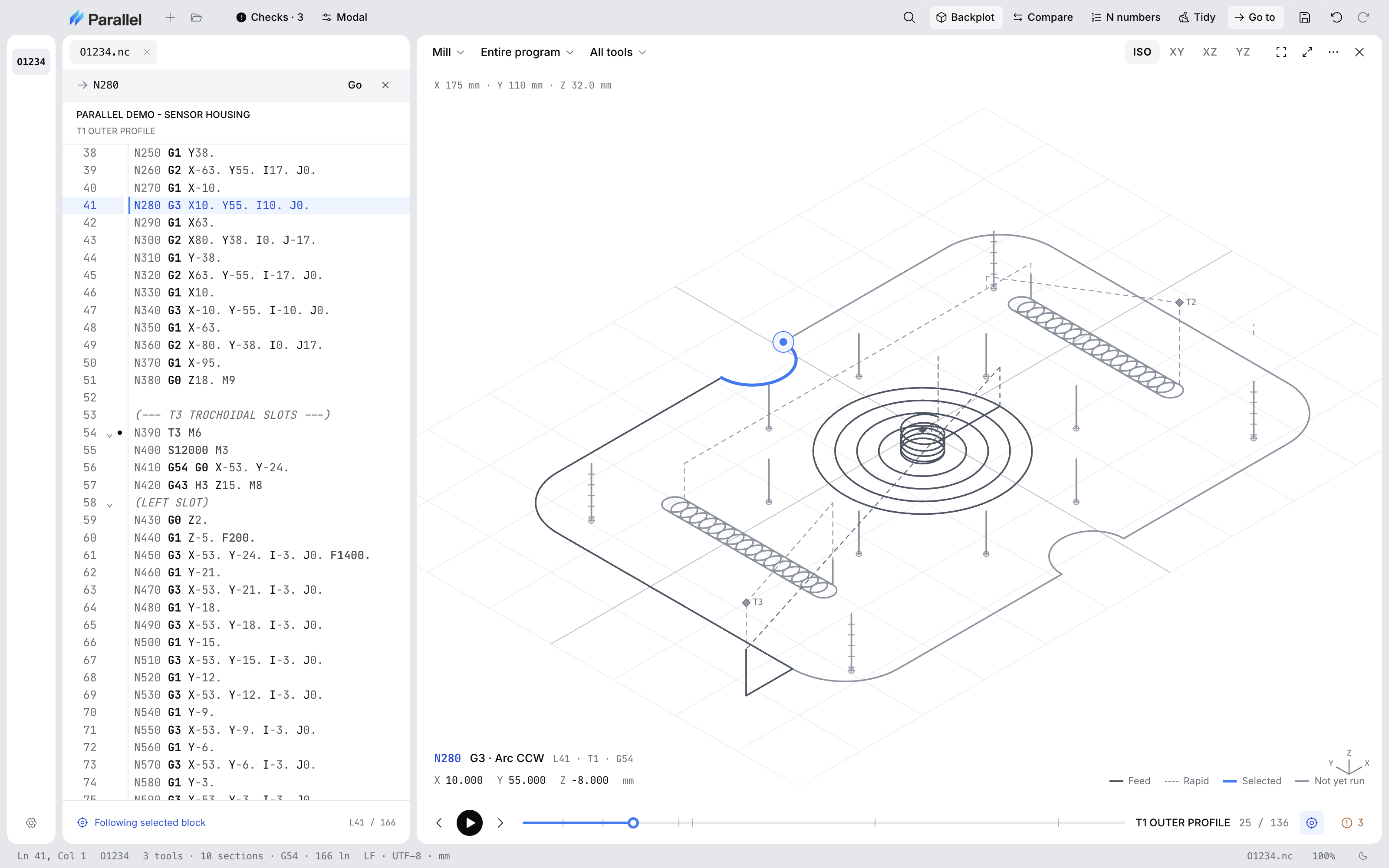
Parallel Desktop showing a sensor housing program beside an XY mill backplot with a notched outer profile, a center bore cleared in concentric rings, two trochoidal slots, and a bolt circle with corner holes, with the selected block and its position read out under the plotParallel Desktop showing a sensor housing program beside an XY mill backplot with a notched outer profile, a center bore cleared in concentric rings, two trochoidal slots, and a bolt circle with corner holes, with the selected block and its position read out under the plot

Step-through

Walk the program one block at a time.

The plot draws the motion so far at full strength and fades the rest.

Parallel Desktop stepping through a program at block 57 of 136, partway up the left trochoidal slot. The caret is on N610 in the editor, and the isometric backplot draws the motion so far bright, including the helical entry into the bore, fades the rest, and reads X -53.000 Y 0.000 Z -5.000.Parallel Desktop stepping through a program at block 57 of 136, partway up the left trochoidal slot. The caret is on N610 in the editor, and the isometric backplot draws the motion so far bright, including the helical entry into the bore, fades the rest, and reads X -53.000 Y 0.000 Z -5.000.

Proven versions

Compare against the version that last ran.

Compare against a proven version: Proven on HAAS VF-2, first article passed, with Sign off changes and Mark proven buttons. Two changes are highlighted: the spindle speed from S9200 to S8600, and the helix feed from F600. to F450. with an added comment explaining it.Compare against a proven version: Proven on HAAS VF-2, first article passed, with Sign off changes and Mark proven buttons. Two changes are highlighted: the spindle speed from S9200 to S8600, and the helix feed from F600. to F450. with an added comment explaining it.

Everyday editing

Small things that add up over a shift.
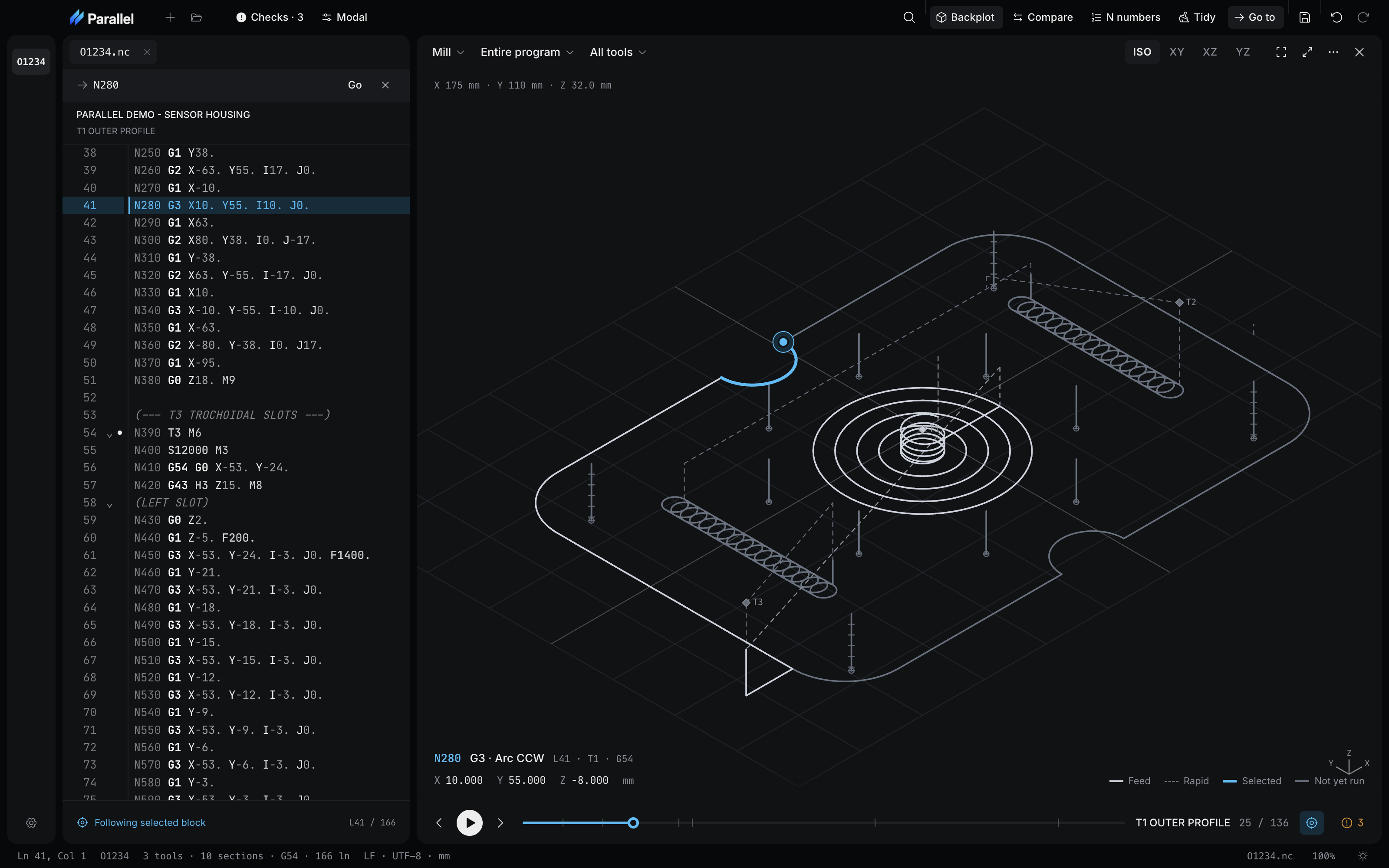
  • The Go to bar with N280 typed in and its Go button, above the program and section name, Parallel Demo - Sensor Housing, T1 Outer Profile, and the lines around N280 with that block highlighted.The Go to bar with N280 typed in and its Go button, above the program and section name, Parallel Demo - Sensor Housing, T1 Outer Profile, and the lines around N280 with that block highlighted.

    Go straight to a block

    Type a line number, or an N, O, or T number, and the caret lands on it.
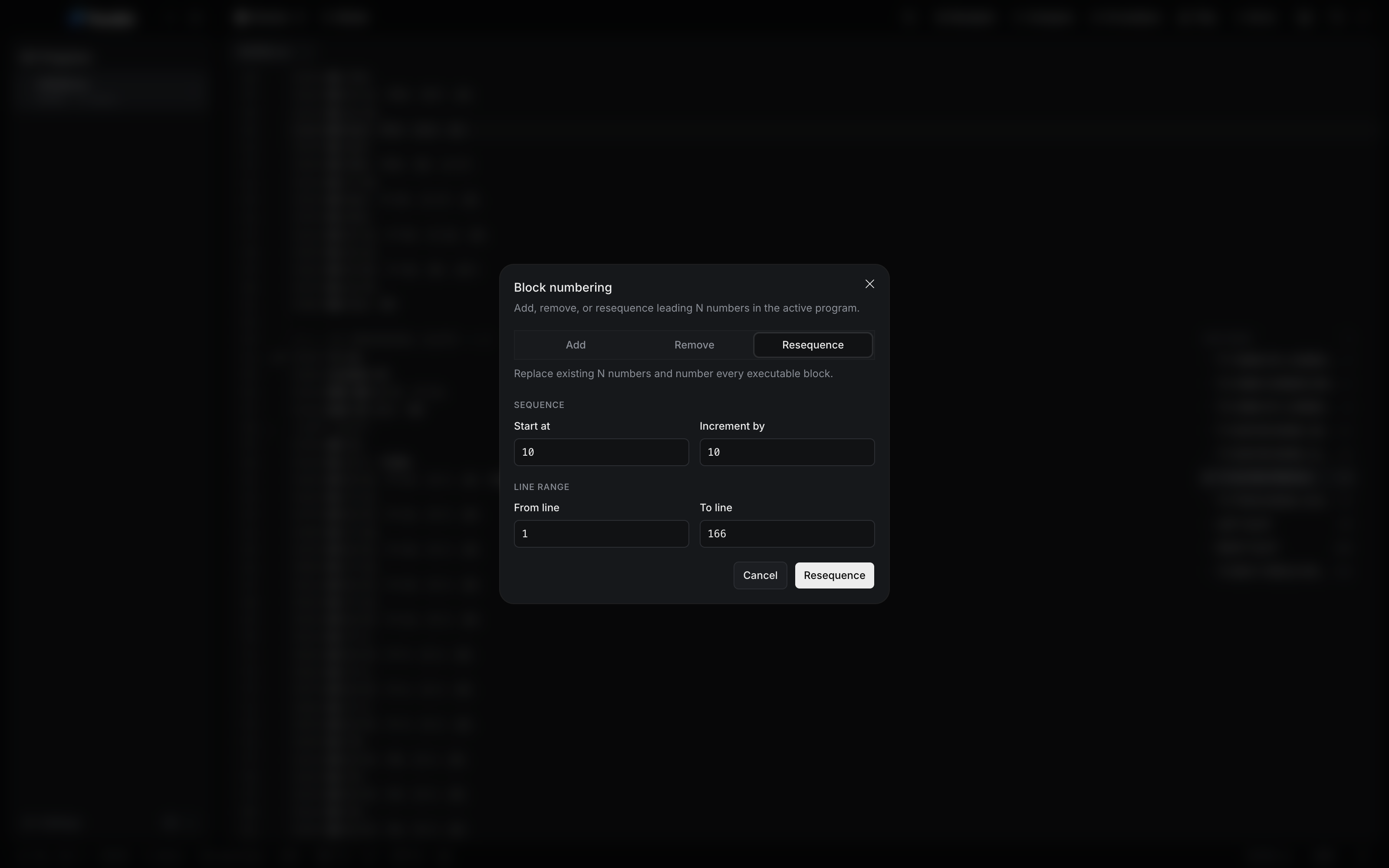
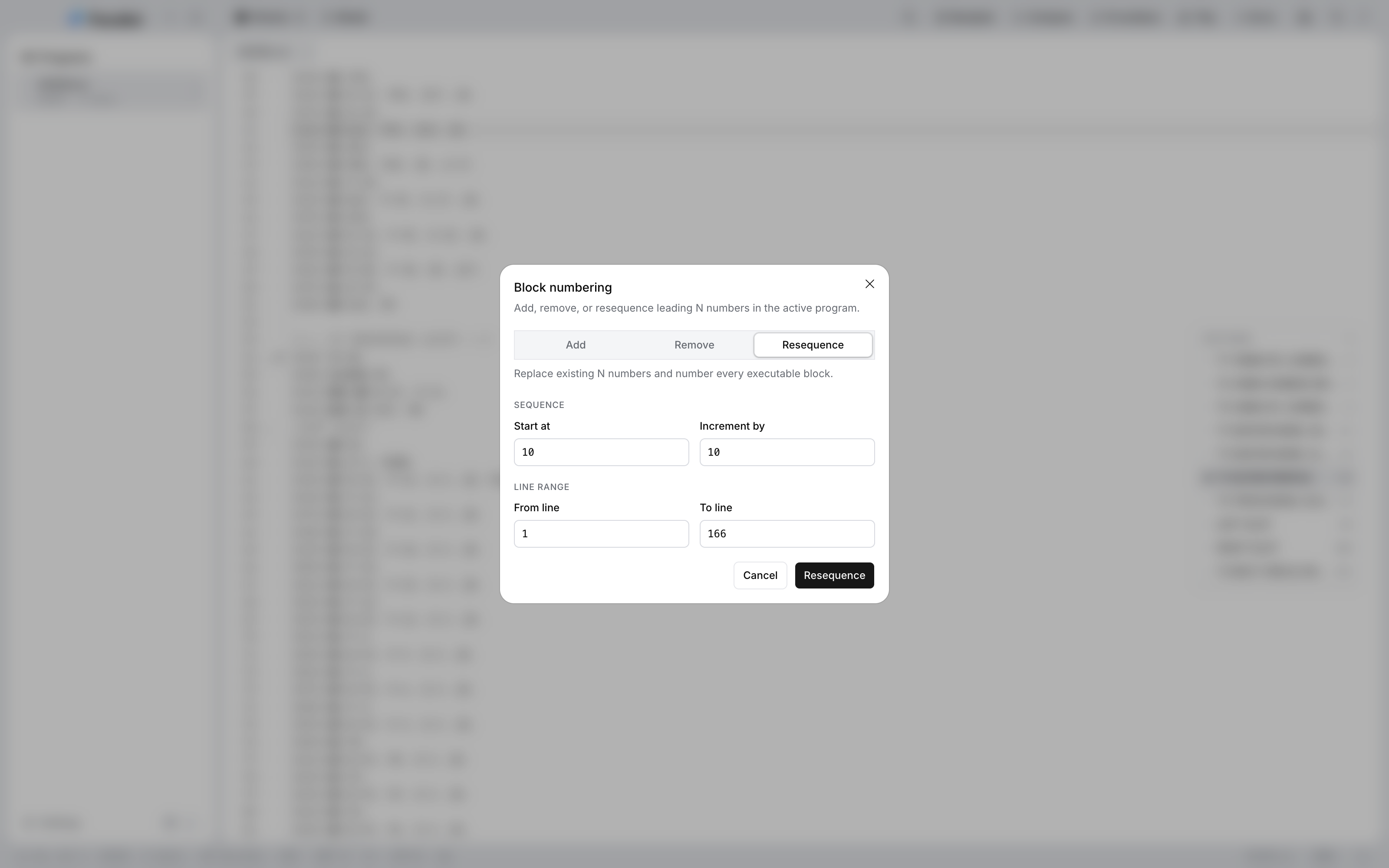
  • The Block numbering dialog: Add, Remove, and Resequence options with Resequence selected, Start at 10, Increment by 10, and a line range of 1 to 166.The Block numbering dialog: Add, Remove, and Resequence options with Resequence selected, Start at 10, Increment by 10, and a line range of 1 to 166.

    Renumber in one pass

    Add, remove, or resequence N numbers across the whole program or a range of lines.
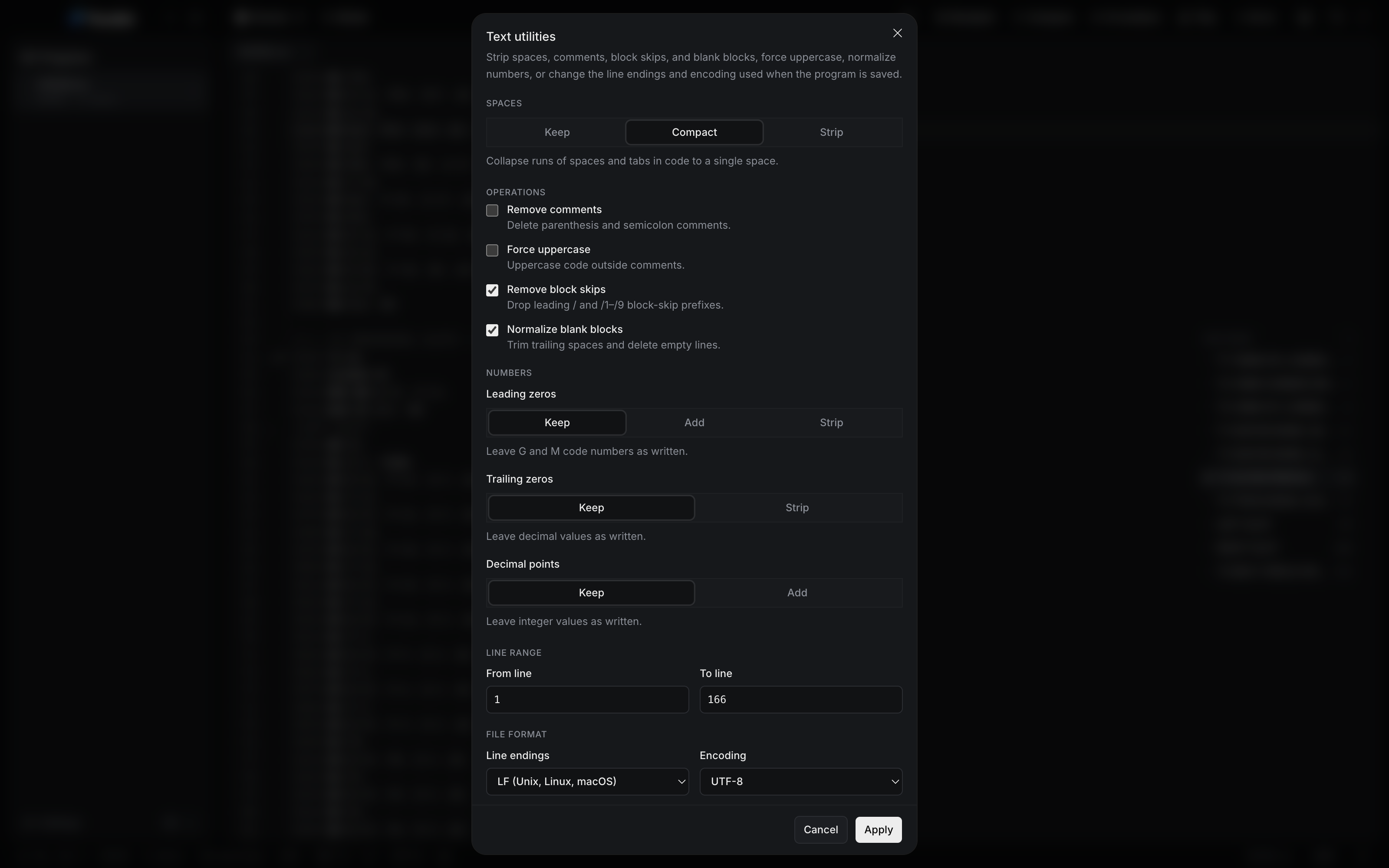
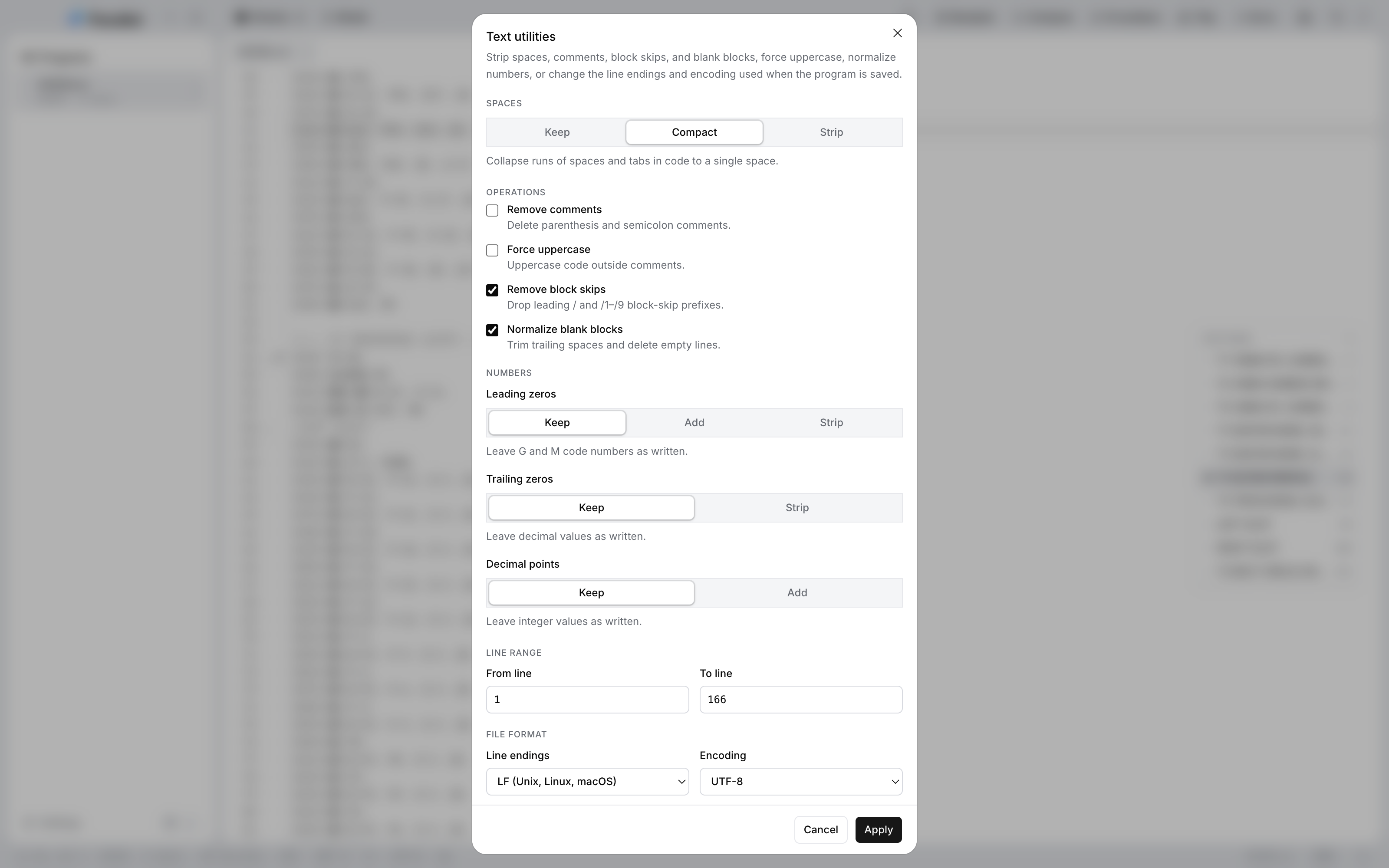
  • The Text utilities dialog with Compact spacing selected and Remove block skips and Normalize blank blocks ticked, beside unticked Remove comments and Force uppercase.The Text utilities dialog with Compact spacing selected and Remove block skips and Normalize blank blocks ticked, beside unticked Remove comments and Force uppercase.

    Tidy without retyping

    Strip comments and block skips, or change spacing, case, and number formatting, then apply it to a range of lines.

Settings

Make the shortcuts and the typeface yours.
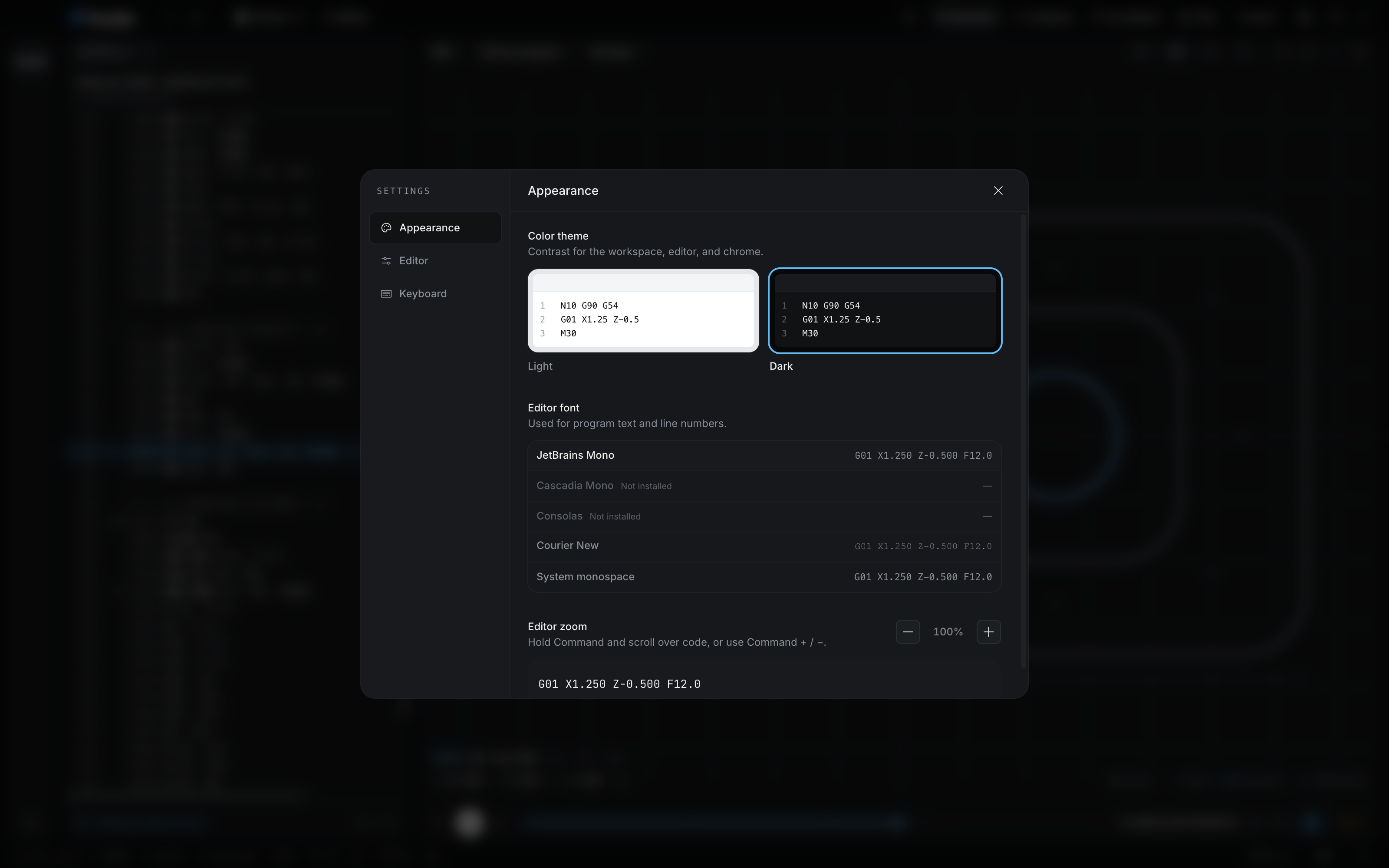
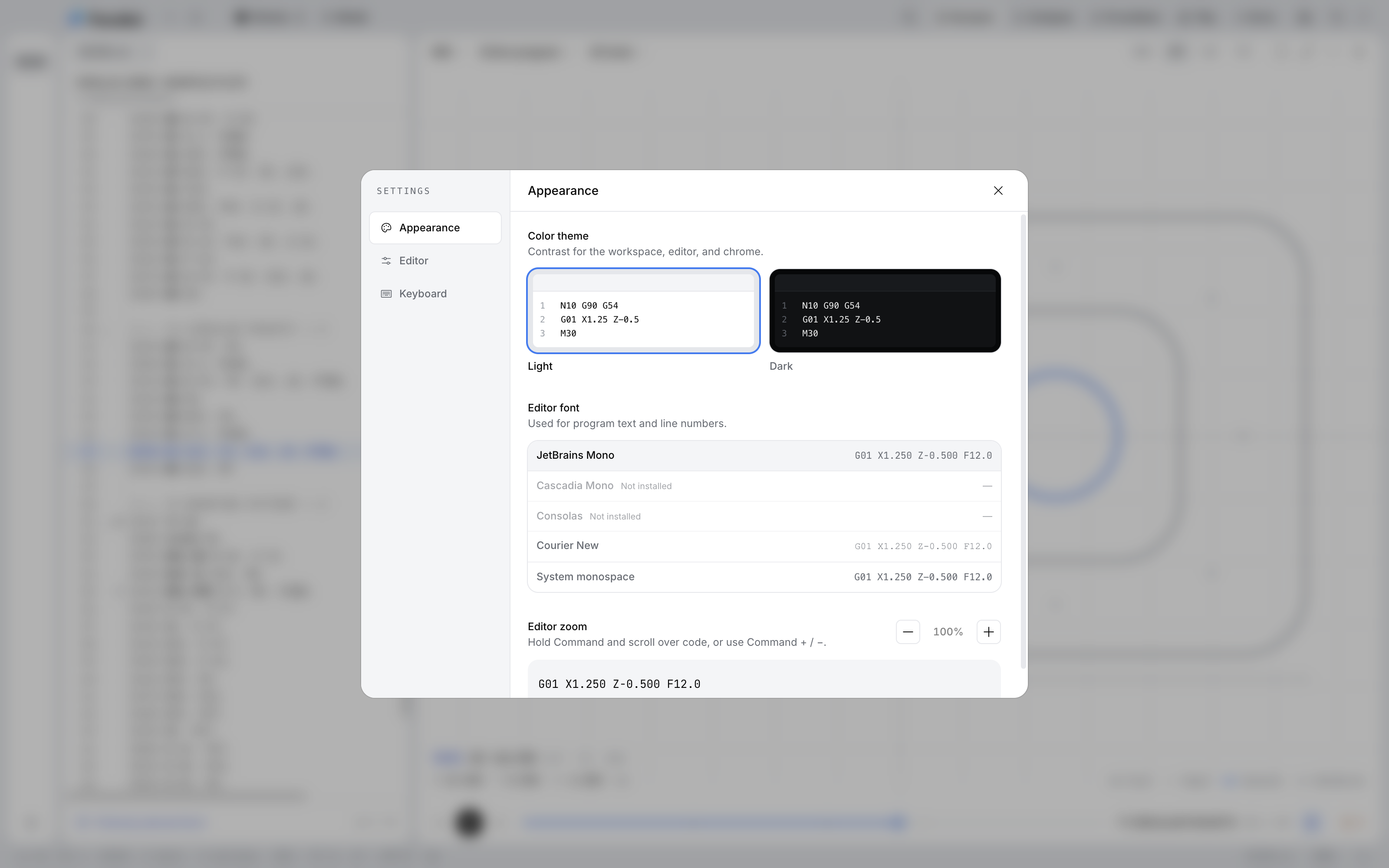
  • Editor font choices — JetBrains Mono, Courier New, and system monospace previewed with the same G-code, Cascadia Mono and Consolas marked not installed.Editor font choices — JetBrains Mono, Courier New, and system monospace previewed with the same G-code, Cascadia Mono and Consolas marked not installed.

    Pick a monospaced face

    Preview JetBrains Mono, Courier New, or your system monospace on your own G-code. Faces that are not installed are marked.
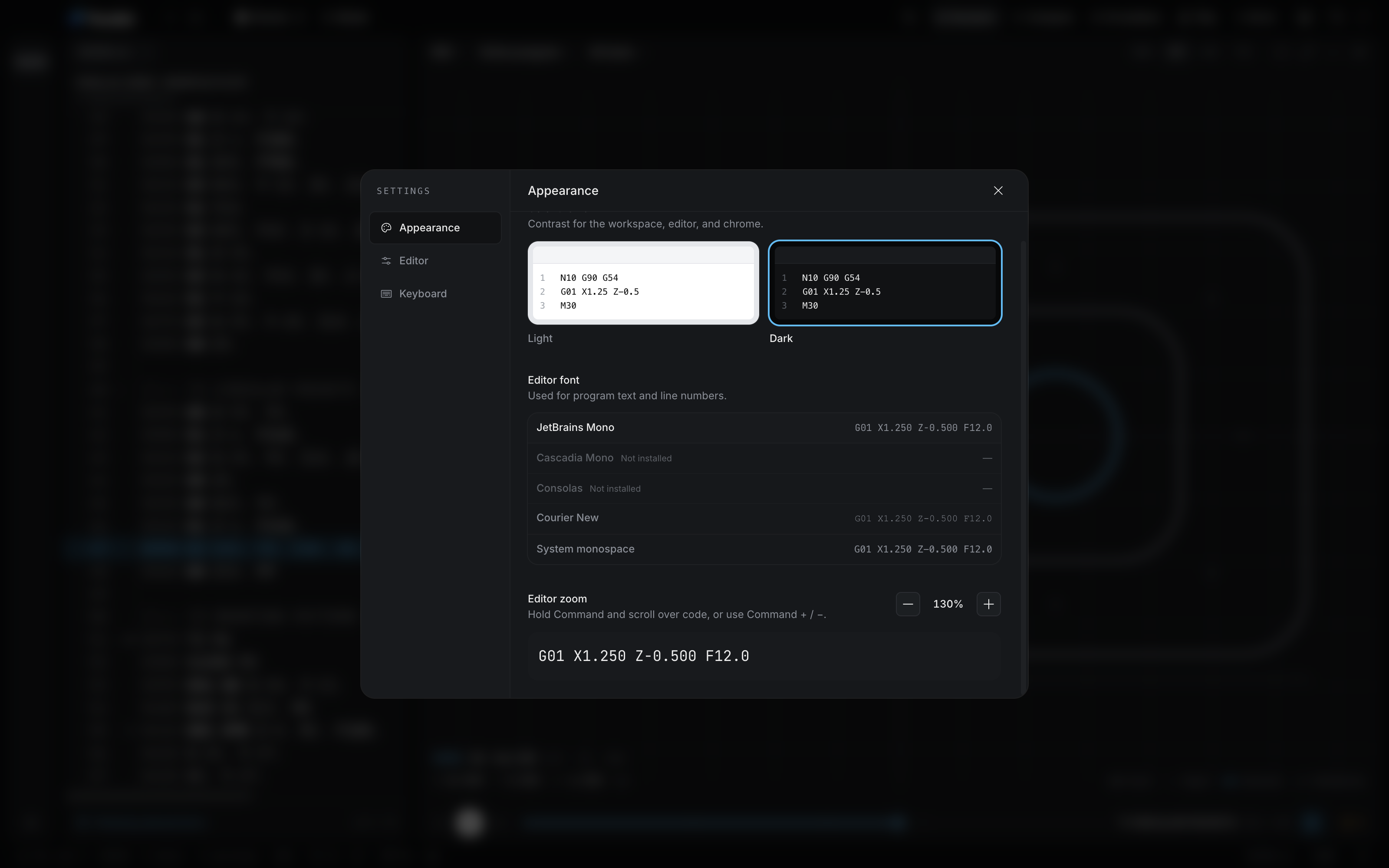
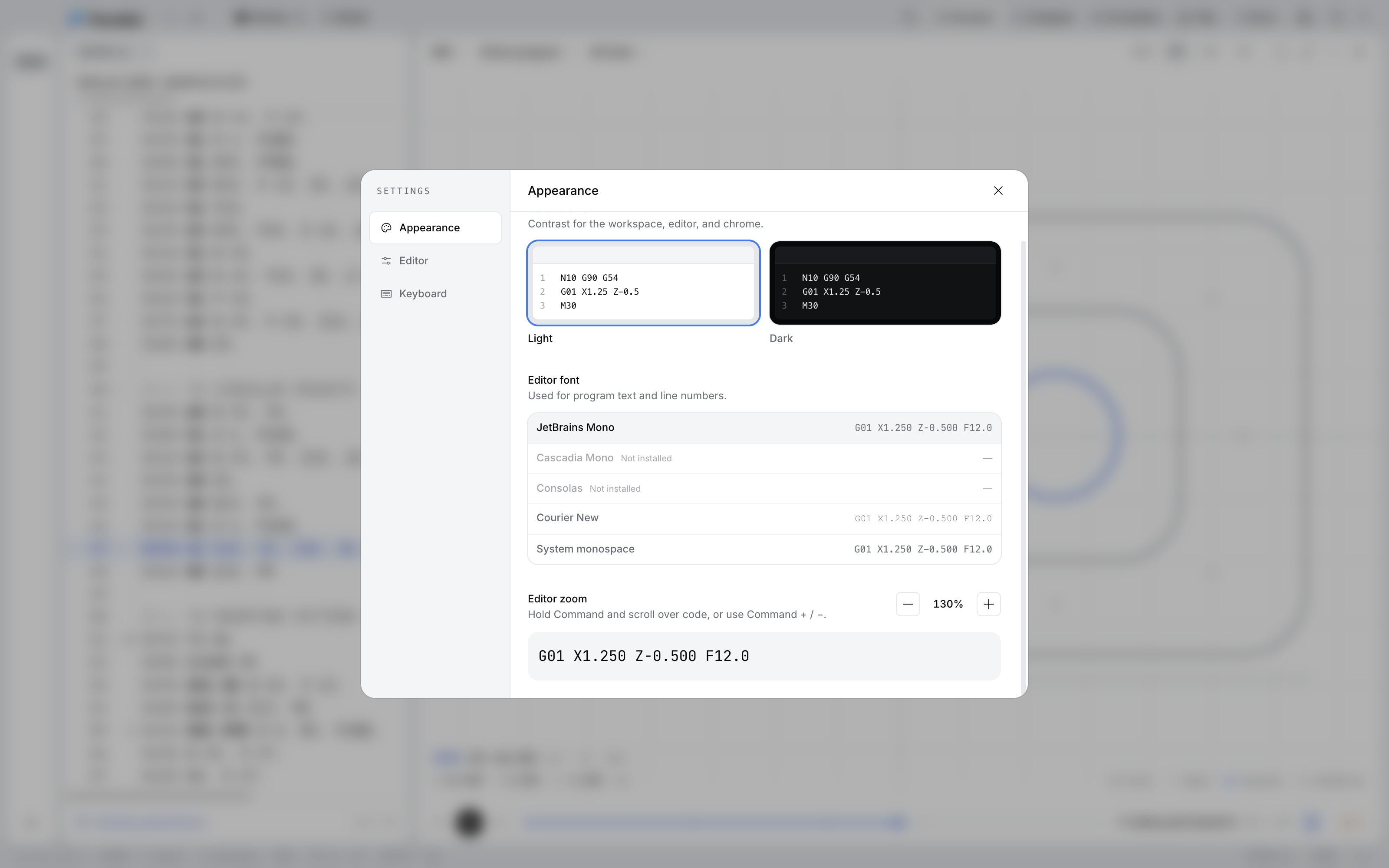
  • The editor zoom control at 130% with a line of G-code previewed at that size.The editor zoom control at 130% with a line of G-code previewed at that size.

    A zoom that stays put

    Scale the editor text from 60% to 200%. The zoom stays where you left it.
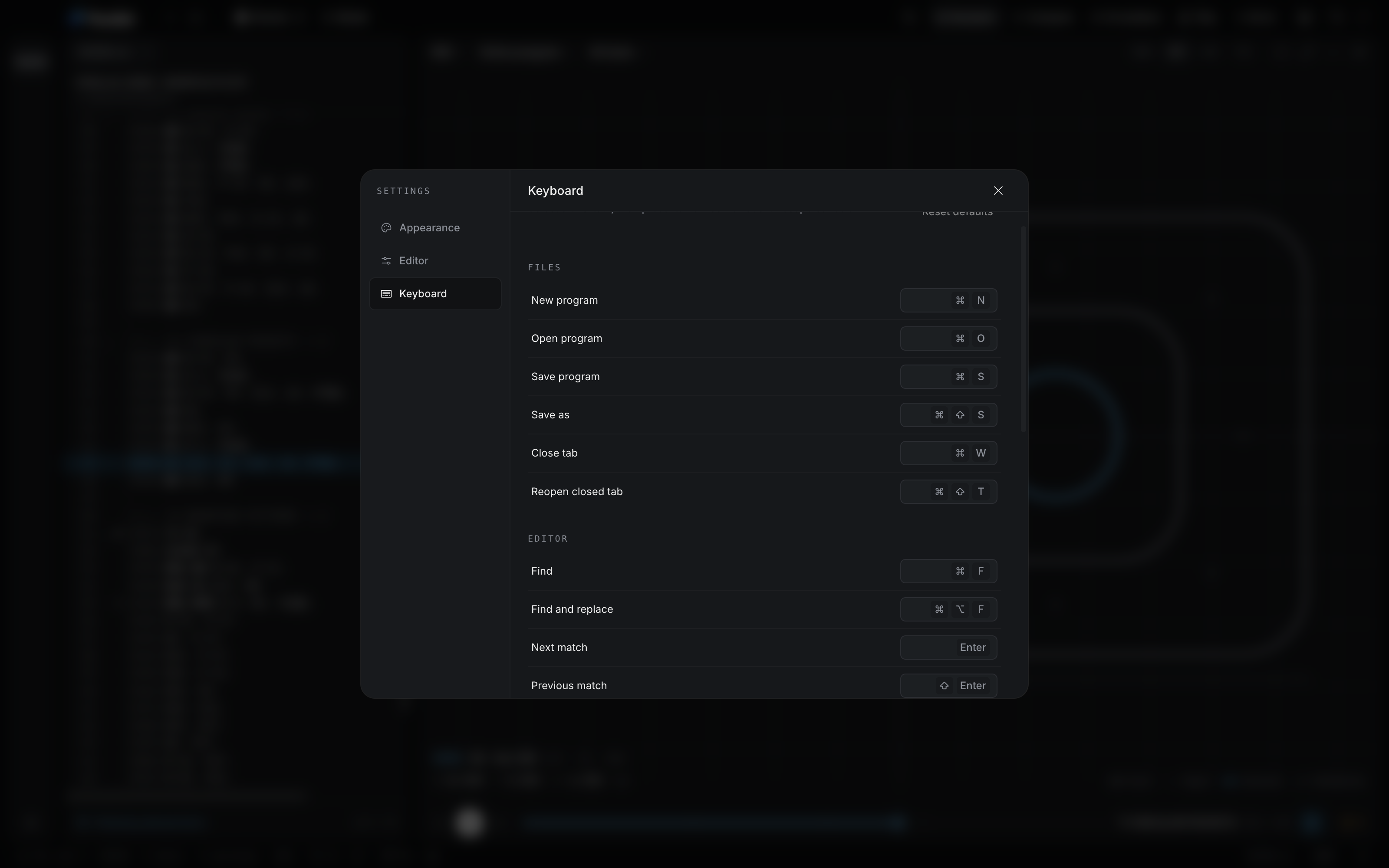
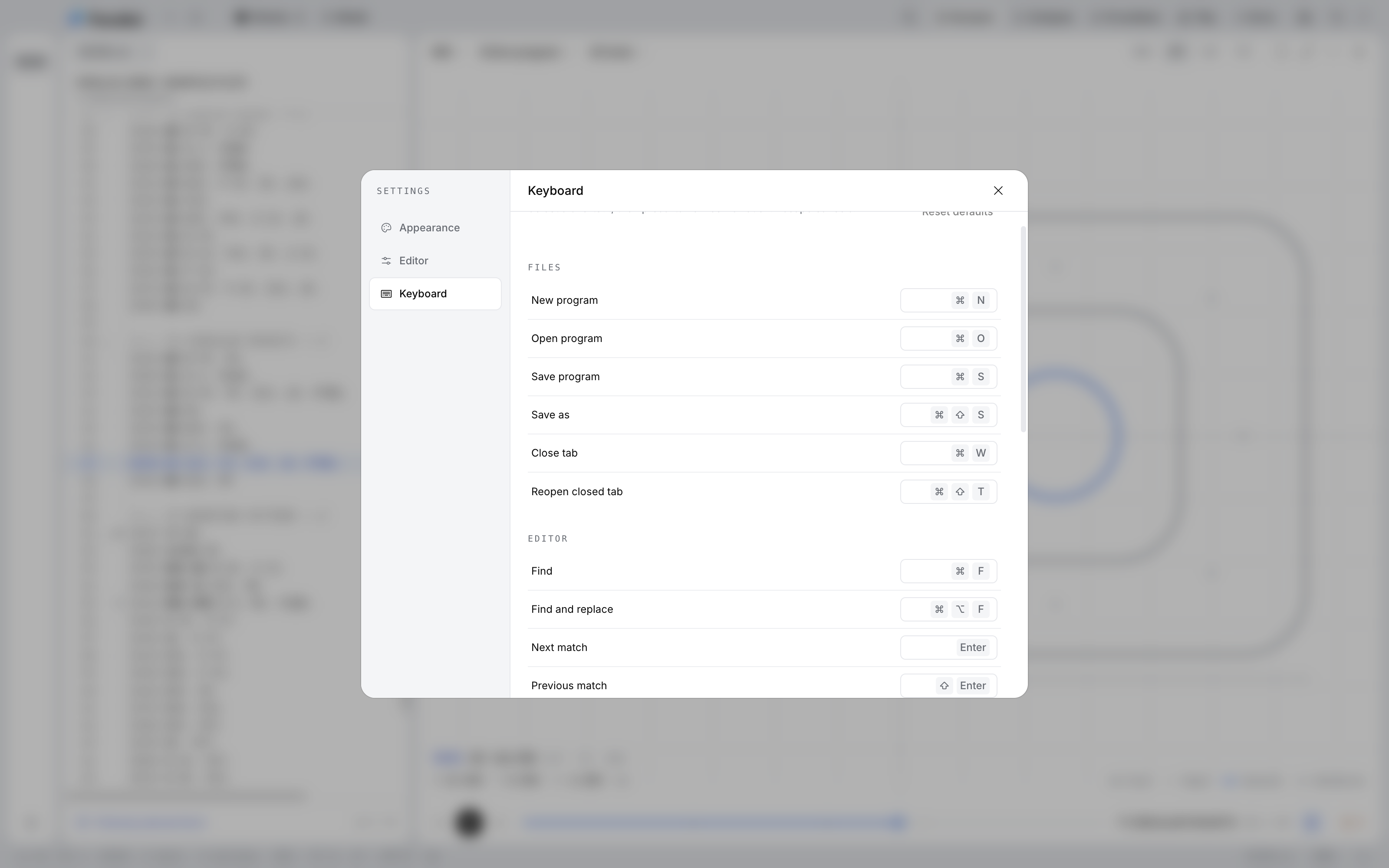
  • Keyboard settings: select a shortcut and press its new combination, with a Reset defaults button above the file shortcuts for New program, Open program, and Save program.Keyboard settings: select a shortcut and press its new combination, with a Reset defaults button above the file shortcuts for New program, Open program, and Save program.

    Remap shortcuts

    Select a shortcut, press the new combination, and reset to the defaults whenever you like.

Waitlist

Be first to know when Parallel ships.

Parallel works offline, so your files never leave the desk. Join the waitlist and we’ll email you when it’s ready to download.

We email once, when Parallel is ready. No newsletter.

  • Windows

    Windows 10 and 11 · Installer .exe · x64

    Download for Windows: Coming soon

  • macOS

    macOS 14 and later · Universal DMG

    Download for macOS: Coming soon

  • iPhone and iPad

    iOS and iPadOS 18 and later

    In development. No App Store date has been announced.